It sees what you see, and tells you what to do next.
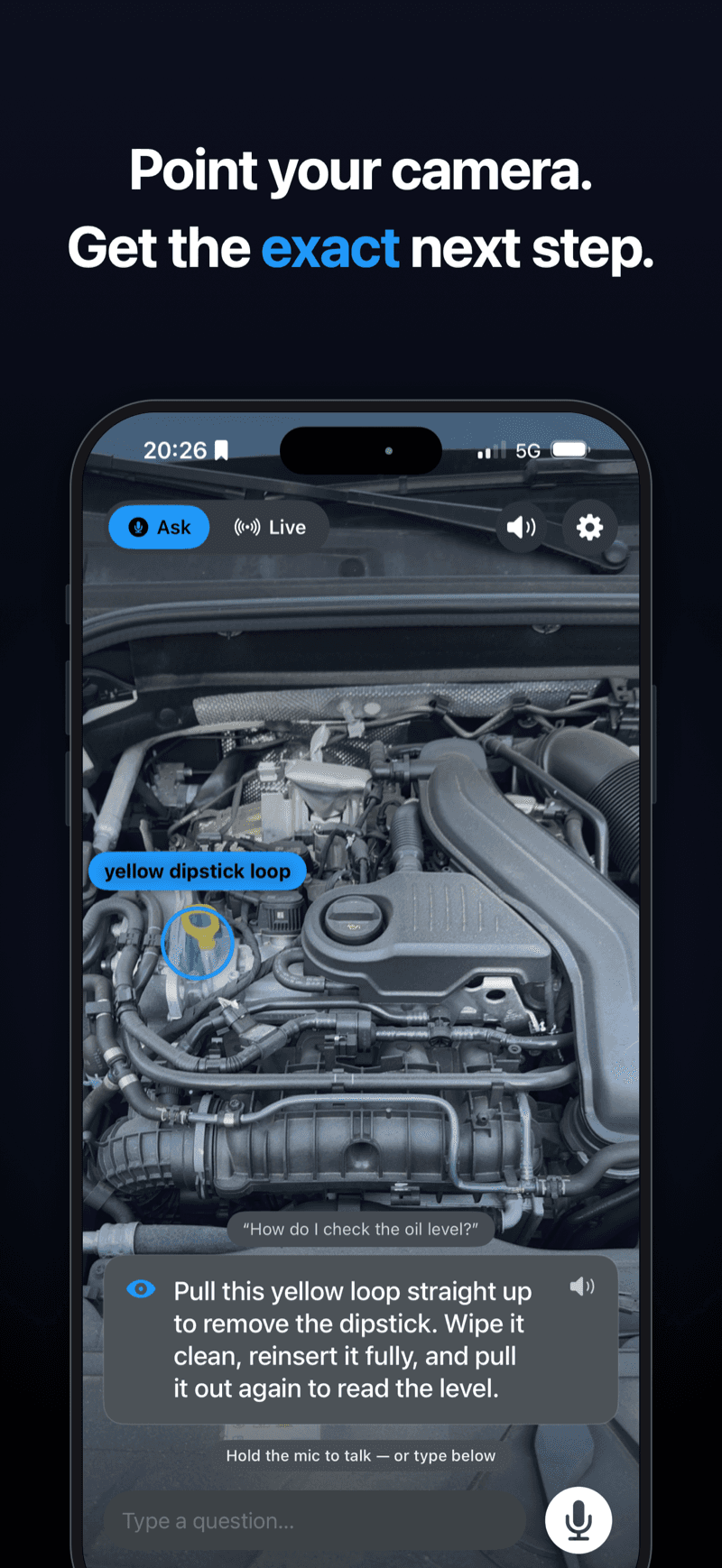
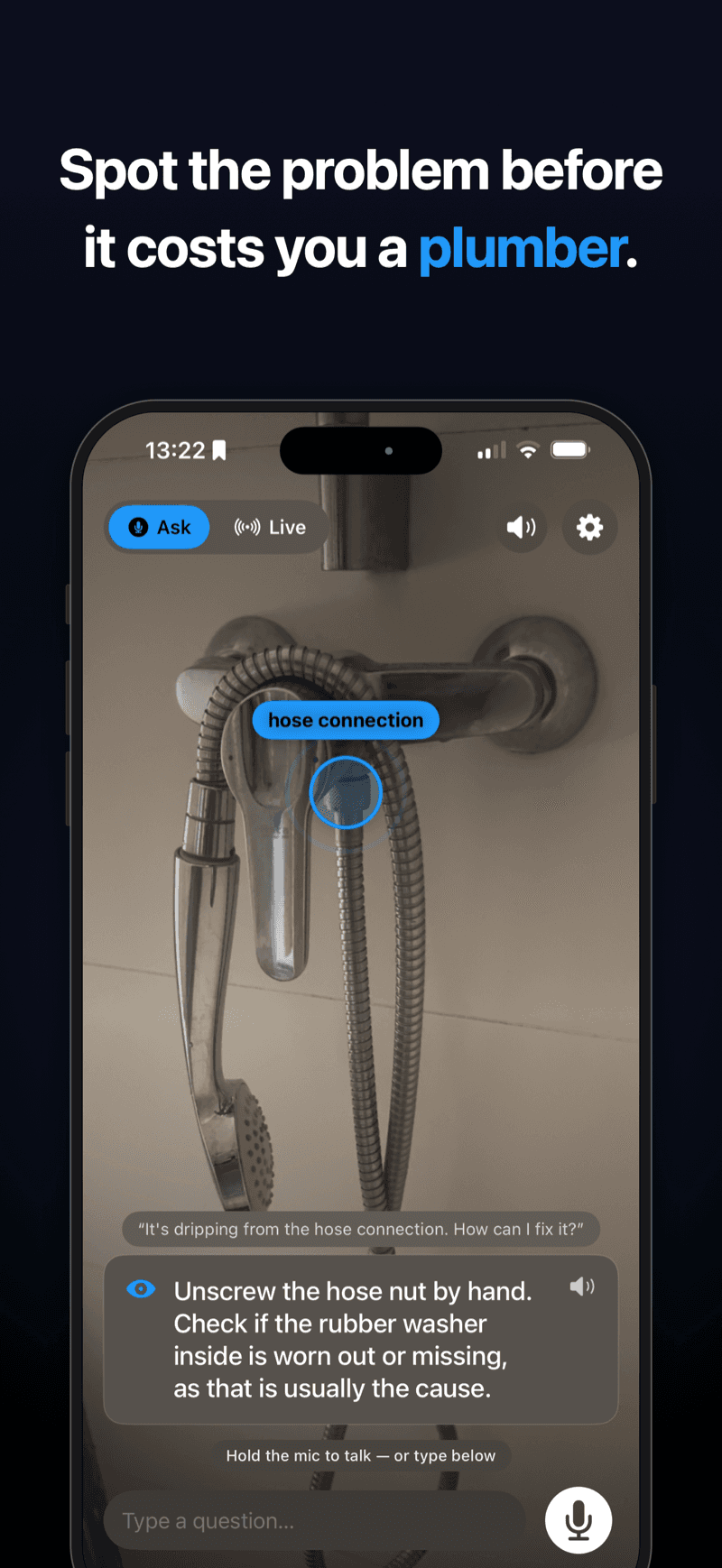
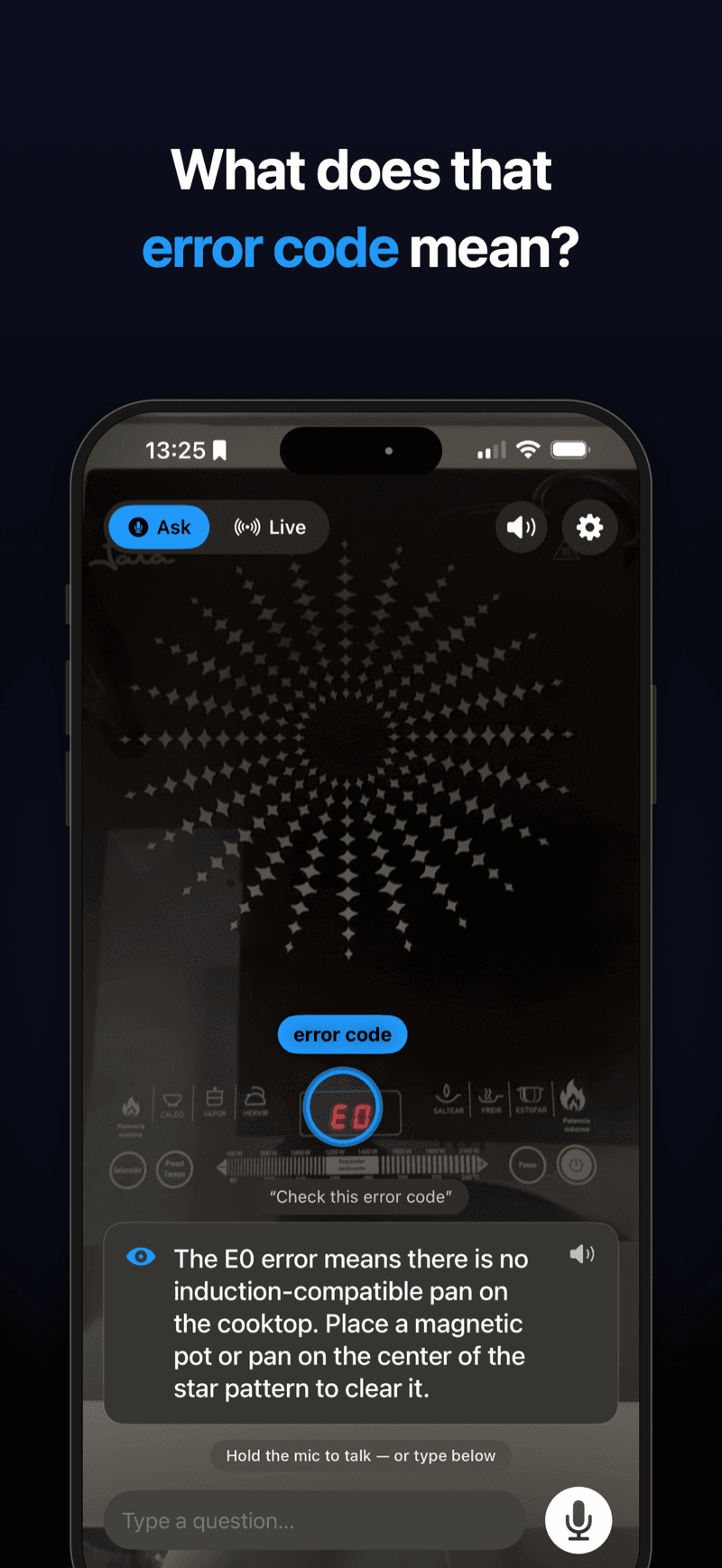
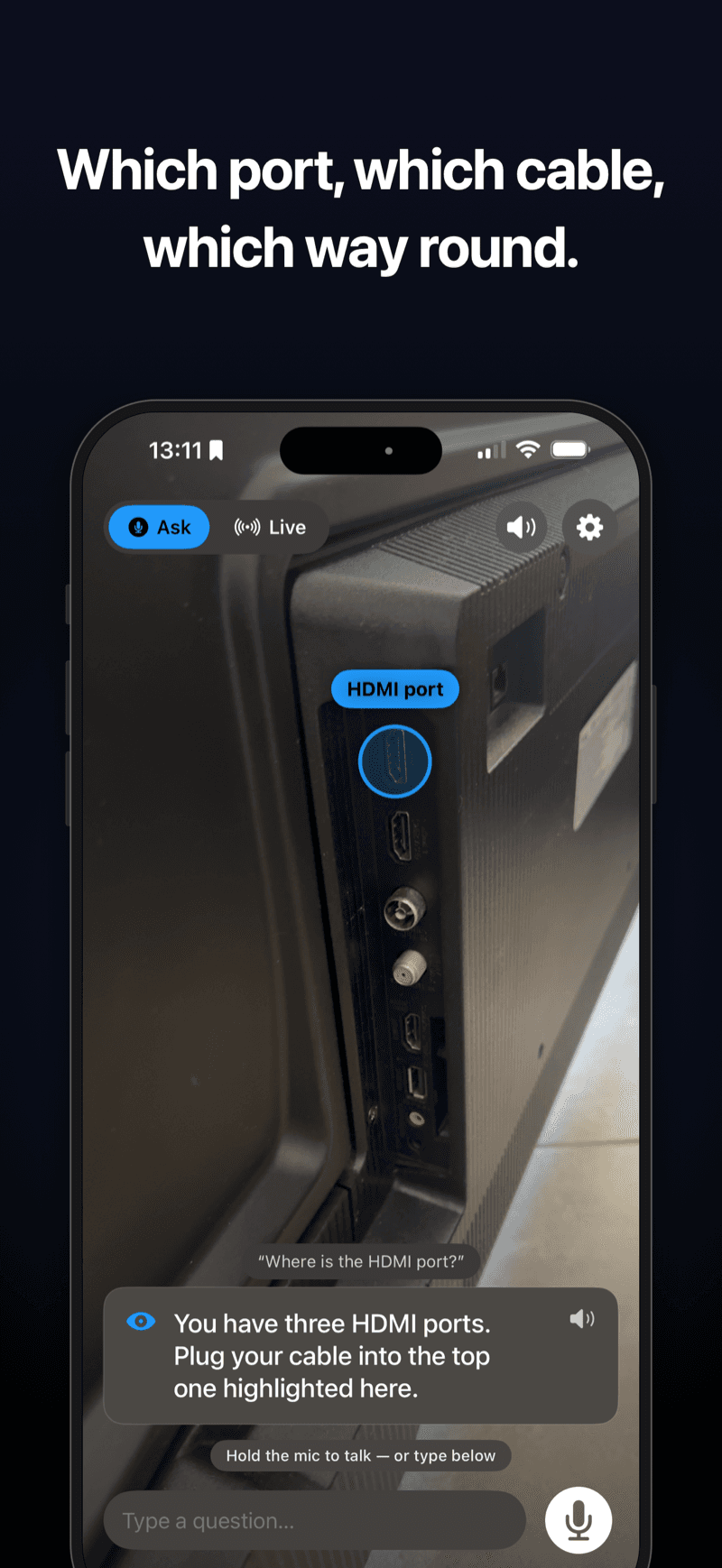
Point your phone at whatever you are working on — a dripping tap, a car engine, a dishwasher throwing an error code — and ask out loud. EyeGuide looks through the camera, answers in one short step, and draws a marker on the exact part you should touch next.
iPhone · iOS 18+ · 7-day free trial · No account needed
Two ways to use it
One for the quick question you already know how to phrase, one for the job where your hands are busy and you would rather just talk.
Ask — point, ask, get the step
Hold the mic and ask out loud, or type. EyeGuide reads a single frame, answers in under forty words, and rings the object you should act on. Vision keeps tracking that object as you move the phone, so the marker stays on the part rather than drifting off it.
Live — a conversation, hands-free
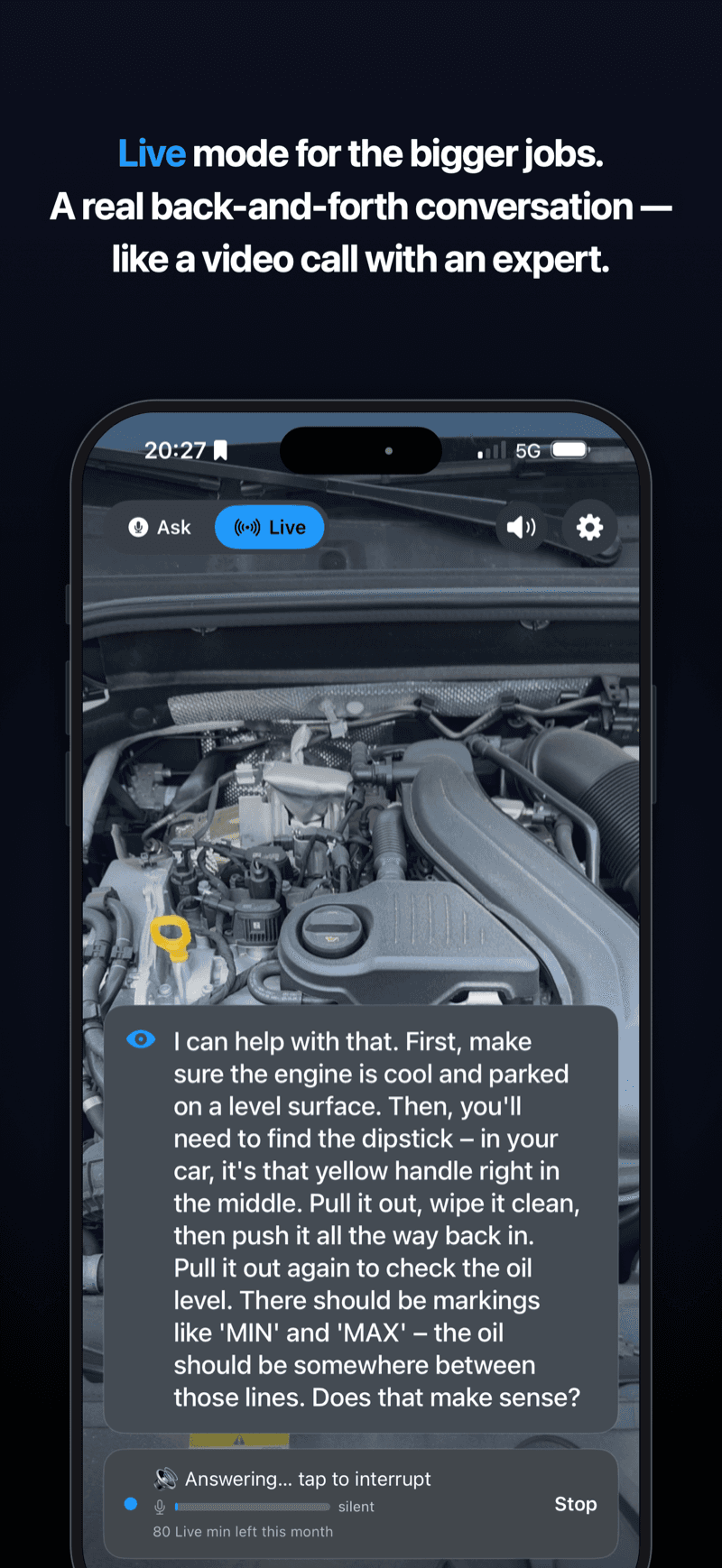
Camera and microphone stream continuously and it talks back in real time, like a video call with someone looking over your shoulder. Made for the longer jobs, where stopping to hold the phone and phrase a question is the thing slowing you down.
Better than a paused video
A tutorial was filmed on somebody else's appliance, in somebody else's kitchen, and you are the one squinting at it with wet hands. EyeGuide is looking at yours.
It points at the actual part
Not a description of where the valve is — a ring drawn on your valve, in your bathroom, that stays put while you move.
It reads what is in front of it
Error codes on a control panel, markings on a dipstick, which of three identical ports is the one you want. Things a search cannot answer without you knowing what to type.
It knows when to stop
Mains electricity, gas, brakes and airbags get a warning and a recommendation to call a professional. It is a coach, not a substitute for someone qualified.
One step at a time
Deliberately terse. You get the next thing to do, not a fifteen-point plan to memorise while holding a wrench.
Not just repairs
DIY, electronics and soldering, flat-pack assembly, bikes, cooking. Anything where the question is easier to point at than to describe.
No account, and the key is not in the app
Nothing to sign up for. Requests go through a backend that holds the AI credentials server-side rather than shipping them in the binary, and nothing is kept to build a profile of you — the privacy policy says exactly what is sent where.
What it does not do
- It is not a qualified tradesperson. On anything genuinely dangerous it will say so and tell you to call one, and you should.
- It needs to see the thing. There is no offline mode — the camera frame and your question go to a model and come back as an answer, so a connection is required.
- The on-screen marker is an Ask-mode feature. Live mode talks you through the job but does not draw on the picture yet.
- iPhone only, iOS 18 and later. Live minutes are metered by plan; Ask is unlimited on every plan. Something off? Email me.